
- How to Read a Mount Fuji Visibility Planner - 21 February 2026
- What to Do (or Not Do) When Meeting Nara’s Famous Deer - 18 February 2026
- How Long Should You Spend in Nara? - 12 February 2026
There are a few apps I won’t travel to Japan without—and a few that could be helpful for people other than me! So, here’s my list of the apps that can make your Japan trip easier.
How I Picked The List
Simple—they’re the ones I use! They’ve taken me on eight trips to Japan and are currently fueling the plans for number nine.
I’ve seen lists far longer than this one, but they often include apps that crossover with others on the list below, that aren’t Japan-specific, like hotel or flight booking apps or apps that are only in Japanese – so you probably don’t need to fill your phone up with them. There’s enough to do when planning a trip to Japan as it is without translating restaurant suggestions!

Article by Helen Foster. Disclosure: Some links in this post are affiliate links. See our Affiliate Disclosure.
Transport Apps
I use these apps to find train routes and schedules when planning my itinerary, to determine whether a rail pass is more effective, and to get around Japan once I arrive.
Japan Travel by Navitime
This is probably the app I use the most when planning. It allows me to check different routes to places, with their costs, travel times, and how far apart the trains are in more local areas. Yes, Google Maps has this information, and it’s another essential, but I don’t think it’s as good when you’re planning 2-3 months in advance.
Navitime is also better for more rural areas, where I find Google Maps doesn’t always cover options like buses as well as Navitime does.
I have a guide to using the app to help plan and price your trip here.
Google Maps
While Navitime is fantastic for forward planning, I switch to Google Maps once I arrive, as it’s just more helpful for the whole journey – particularly directing you to the best entrance to the station.
Get this wrong, and you can waste a lot of time – I once had to cut my whole visit to the Maglev Museum in Nagoya short because I didn’t pay attention to the correct entrance and walked around underground for ages.
Google Maps does get a bit confused by tall buildings in some areas, especially in Tokyo, so it’s still a good idea to always have a rough idea of your route. I still haven’t seen the tiny Godzilla statue in Ginza, as it turned me around so many circles in the rain that I gave up!

Smart Ex
Most of the time it is not essential to book Shinkansen tickets in advance (this post explains a couple of times you might want to do so though). Still, suppose you do want to plan in advance. In that case, this is the easiest way to buy tickets for the Tokaido Sanyo Shinkansen, which goes between Tokyo and Kyushu via popular stops like Nagoya, Kyoto, Osaka, and Hiroshima. Sadly it doesn’t cover the others.
It clearly shows you the complete price, you can pick your seat location, including those with oversized baggage space, and it delivers you a QR code that you can use to get directly on the train rather than queuing.
However, if you’re like me and don’t trust QR codes not to fail the actual moment you need to use them, you can also print out your tickets at the station!
There are a couple of caveats with SmartEx: It isn’t available in all countries, and, like many online purchasing systems in Japan, it doesn’t always work well with foreign cards, particularly VISA. If your cards fail with SmartEx, then Klook is your next easiest option to buy tickets – see below.
GO Taxi
Uber does work in Japan, but in many places, it will just call you a normal taxi at a slightly more expensive price. Go Taxi will call you a cab directly. I admit, it doesn’t work everywhere—I was trying to get one in Takayama by the Teddy Bear Museum, and it told me I was out of their area, but it’s still good to have.
The Transport App Not to Download
One app that you don’t need is the Suica App. Suica is one of the many transport cards you can use to get around Japan and to pay for things.
You can create a digital version of this on your phone, but you don’t use the Suica app to do so. The app is all in Japanese and isn’t necessary if you don’t live in Japan.
Instead, follow our guide to setting up a Suica card via Apple Wallet – sorry, Android users, right now, it only works on iPhones.
I’m also currently not a fan of the Welcome Suica app. See why in our simple guide to using Suica.
Apps For Understanding Things
Google Translate
Those who speak better Japanese than me say it’s not completely accurate, but it’s easy to use and works well enough for most of us when travelling.
You can type or speak into it when chatting with Japanese people, which not only makes it easier to communicate with people working in your hotel, in restaurants or in taxis, but it’s also made it much easier to chat with Japanese people in places like bars (standing bars are great for this) or on trains.
My current favourite use is translating signs at shrines; I’ve learned so many interesting things that I might have missed simply by looking at them through the Google Translate camera option.
For example, the sign behind this statue on the Seven Lucky Gods walk in Nagano tells you it’s for money-washing, which is said to increase your cash flow. How fun is that to discover?

Payke
This is very helpful if you’re travelling with any specialist dietary needs, want to buy something like skincare with a particular active ingredient in it or, get sick in Japan and need to look for medication with (or without) a certain ingredient in it.
That was how I found it. I needed something to check there wasn’t ibuprofen in some medicine I wanted to buy.
You simply scan the product’s barcode into the app, and it shows you the ingredients in English.

This is what it told me about the Salonpas painkilling patches I use when I’m there – it also gives you instructions on how to use them and any warnings that are on the packet.
And it’s quick, too. I’ve stood for ages in Japanese pharmacies waving Google Translate over packets while trying to buy things like bite cream or cold medicines, so this is a game-changer.
Tickets and Sightseeing Apps
Klook
They are one of the leading aggregators of tours and tickets in Japan. They have a special relationship with USJ, which means they have tickets on there you can’t even buy at USJ—like their Studio Pass, which includes Super Nintendo World access for just AU$30 more than the basic entry.
And, if you have a VISA card, or another card that doesn’t work well with online systems in Japan, it’s the simplest option to buy things like advance Shinkansen tickets, Disney tickets or USJ passes.
You can buy tours or tickets directly from the app, or if you do so online, you can easily access your tickets in the app, so it’s good to have it set up before you leave.
MONEY SAVING TIP: If you are planning on using Klook on your trip, don’t forget to add the code JAPLANEASEKLOOK at check out and you could save up to 10 per cent (T&Cs apply, not all tickets are included).

USJ
If you’re visiting Universal Studios Japan, download their app before you leave. You’ll get a good idea of the wait times for the most popular rides (spoiler alert – usually long) and where things are in the park, so you can plan your route.
On the day of your visit, you’ll also use the app, not a printed map, to navigate the park, and crucially, if you don’t have a pass with access to Super Nintendo World, the app is how you’ll try to snag a timed entry to this part of the park.
If you don’t understand a word of what I just typed there, check our guide to getting into Super Nintendo World, as you can’t just walk in.
Tokyo Disney Resort
Like Universal Studios, Tokyo Disney Resort no longer offers printed maps, so you’ll need to use their app to get around the park – but you’ll also use it to use any of the skip-the-line passes at Tokyo Disney, book requests to enter shows, and, on some days, even to get into certain shops or areas in the park.
See our guide to Disney tickets and extras to explain all these processes.
You’ll also need the app if you want to reduce the time you spend queuing for food by using the mobile ordering service – and, right now, you’ll need it to get the passes that are the only way to get onto the rides in the Fantasy Springs area if you haven’t got a package that includes these.
See more about Fantasy Springs access if this is news to you.
Again, it’s a good idea to check the app for a few days before you travel to get an idea of queues and a plan of what you might want to see first.
Useful Day-to-Day Apps
NHK World App
Hopefully, you won’t need this one, but Japan is one of the most seismically active countries in the world, and earthquakes do happen. If a large quake is detected that you might feel, an emergency alert will be issued and, app or no app, it will come through your phone – I once got woken up at 4.30 with a very loud klaxon.
Most of the time, even though it’s a bit scary, it won’t be anything to worry about but, if a quake does cause severe damage in an area you are in, if there’s a tsunami warning, or, if there’s some other kind of widescale emergency, there might not be enough information in English to tell you what to do next. The NHK World app will offer emergency information you can understand.
For less dramatic purposes, it also has weather and Japanese news in English.
MyMizu
I mentioned this in this guide to staying hydrated in Japan. It helps you find the locations of the drinking fountains or restaurants and cafes that will let you fill up your water bottle. This is particularly useful in summer when Japan’s heat and humidity will see you reaching for liquid more often.

Ubigi
If you’re using apps, you will want to be online! I use this eSim on my trips. It’s far cheaper than buying a Japanese SIM or hiring portable Wi-Fi, and it means I can keep my local number alive for texts from my credit card. See more about their plans and pricing here.
Happy Cow
Eating as a vegetarian, and particularly as a vegan, can be tricky in Japan, as even some seemingly meat and fish-free dishes can contain a seafood-based stock called dashi; Happy Cow helps you find vegan restaurants around Japan. This is the only one I don’t use personally, as I’m not a vegetarian, but it is good.
Need Extra Planning Help?
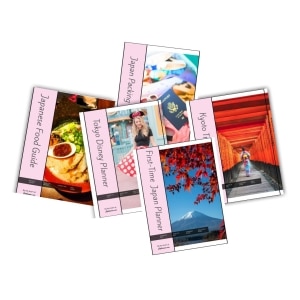
Our Japan trip planners can help. You might like our First-Timers Japan Planner, which will help you plan your trip to Tokyo, Kyoto and Osaka step-by-step, including tips on everything from picking hotels to sightseeing and dining. Or our super-duper Tokyo Disney Planner makes arranging your park trip MUCH easier. Find them in our Planners store – printable and digital versions are available.
So that’s the list of apps I use in Japan, and when planning beforehand. Happy downloading.

